Essential accessibility features Every Indian website should implement for inclusive user experiences!




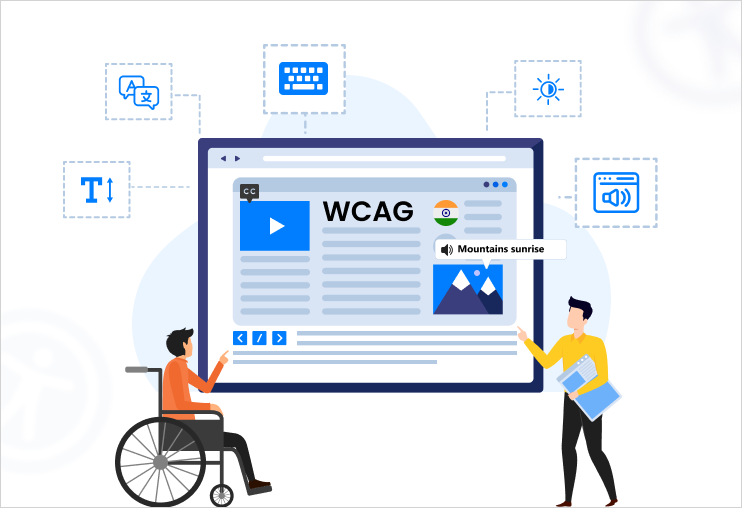
India’s digital ecosystem is expanding like never before – from ecommerce and banking to government services and education portals. Since a profound number of citizens rely on online platforms daily, accessibility is no longer optional; it is a core requirement. Inclusive websites ensure that people with disabilities, elderly users, and individuals with temporary impairments can access digital services without barriers.
According to accessibility frameworks like the Web Content Accessibility Guidelines (WCAG) and the Guidelines for Indian Government Websites (GIGW), websites are expected to be designed so that content is perceivable, operable, understandable, and robust for all users.
Implementing the right accessibility features not only improves compliance but also enhances usability, search performance, and customer reach. Below are the essential accessibility features every Indian website should implement to deliver an inclusive user experience.
Screen reader compatibility
One of the most basic accessibility features is ensuring that websites work seamlessly with screen readers used by visually impaired users.
Screen readers interpret webpage elements and read them aloud, enabling users to navigate digital content even if they have vision impairment.
Key implementation practices include:
- Using semantic HTML elements such as headings, lists, and buttons.
- Adding ARIA labels whenever required.
- Maintaining a logical reading order.
- Providing descriptive link text.
Proper markup enables assistive technologies to interpret page structure accurately and improves navigation for screen reader users.
Alternative text for images
Images, icons, and visual graphics must include descriptive alternative text (alt text) so that visually impaired users can understand their correct meaning.
Alt text should:
- Clearly describe the purpose of the image.
- Avoid unnecessary wording like “image of”.
- Convey the same information that sighted users receive.
For example:
- Poor alt text: “image123”.
- Accessible alt text: “Woman using a mobile banking app”.
Providing alt text ensures that visual content remains accessible through assistive technologies.
Sufficient color contrast
Many users, including those with low vision or color blindness, struggle to read text with insufficient contrast.
WCAG recommends a minimum contrast ratio of 4.5:1 for standard text to ensure readability.
Accessible contrast helps users:
- Read content clearly.
- Distinguish buttons and links.
- Navigate interfaces comfortably.
Indian websites should also avoid using color alone to convey information, such as indicating errors solely with red text.
Keyboard navigation
Users with mobility impairments or assistive devices often rely entirely on keyboards rather than a mouse.
Accessible websites must support full keyboard navigation, including:
- Navigating links and buttons using the Tab key.
- Visible focus indicators
- Logical tab order
- Skip-to-content links
Keyboard accessibility ensures users can browse, fill forms, and complete transactions without difficulty.
Accessible forms and error messages
Forms are important component of many websites – especially in banking, ecommerce, healthcare, and government services.
Accessible forms should include:
- Clearly labelled form fields.
- Instructions before input fields.
- Real-time validation feedback.
- Accessible error messages.
For example, instead of displaying only a red border, websites should show messages like:
“Please enter a valid email address.”
Clear instructions and feedback make forms easier to complete for users with cognitive disabilities and assistive technology users.
Captions and transcripts for multimedia
Videos and audio content must be accessible to users with hearing impairments.
Essential multimedia/video accessibility features include:
- Closed captions for videos.
- Transcripts for audio content.
- Subtitles for multilingual content audiences.
Captions also benefit users in noisy environments or those watching videos without sound, making content universally usable.
Responsive and mobile-friendly design
India is a mobile-first digital market. Millions of users access websites primarily through their smartphones.
Responsive design ensures websites adapt to different screen sizes and devices, improving accessibility for:
- Mobile users
- People with low vision, if they zoom in on text.
- Users relying on screen magnification tools.
GIGW emphasizes responsive and device-compatible design to enhance usability across platforms.
Simple language and clear navigation
Accessible websites prioritize clarity.
Content should be:
- Written in simple language.
- Organized with clear headings.
- Structured with intuitive navigation.
Predictable navigation and understandable instructions help users with cognitive disabilities and individuals unfamiliar with digital platforms.
Adjustable text size and readability
Users should be able to zoom or increase text size without breaking the layout.
Accessibility-friendly typography includes:
- Scalable text (up to 200% zoom)
- Adequate line spacing
- Readable font styles
- Avoidance of overly decorative fonts.
Flexible typography ensures comfortable reading for users with low vision.
Accessibility testing and compliance monitoring
Accessibility is not a one-time task. Continuous testing is necessary to maintain compliance.
Organizations should regularly conduct:
- Automated accessibility audits
- Manual accessibility audit
- User testing with people with disabilities
Platforms aligned with WCAG, and Indian accessibility standards help identify issues and improve digital inclusivity across websites.
Digital accessibility cannot be skipped by Indian websites in current scenario!
India has more than 26 million people living with disabilities, along with millions of elderly users and individuals with temporary impairments. Accessible digital platforms ensure that everyone can participate in the digital economy.
Implementing accessibility features helps organizations:
- Reach a wider audience.
- Improve website usability.
- Enhance SEO performance.
- Strengthen brand reputation.
- Meet regulatory standards.
Most importantly, accessible design reflects a commitment to digital equality and inclusive innovation.
Also read: Retail Search Accessibility for Screen Reader Users
Wrapping up
Creating accessible websites is essential for building an inclusive digital India. By implementing features such as screen reader compatibility, keyboard navigation, alt text, captions, and high-contrast design, organizations can remove barriers and ensure equal access to information and services.
Accessibility should be embedded into every stage of the development process – from design and coding to testing and content creation. When websites prioritize accessibility, they create better experiences for all users.
Creating an accessible website is essential for delivering inclusive digital experiences and meeting global accessibility standards. With our accessibility widget, we help organizations implement accessibility best practices aligned with WCAG standards to ensure their websites are usable for everyone. Our seasoned team helps you build a website that is inclusive, compliant, and future-ready. Reach out hello@skynettechnologies.com to start your accessibility journey.