How to apply WCAG 2.2 standards to Indian language websites and multilingual content?




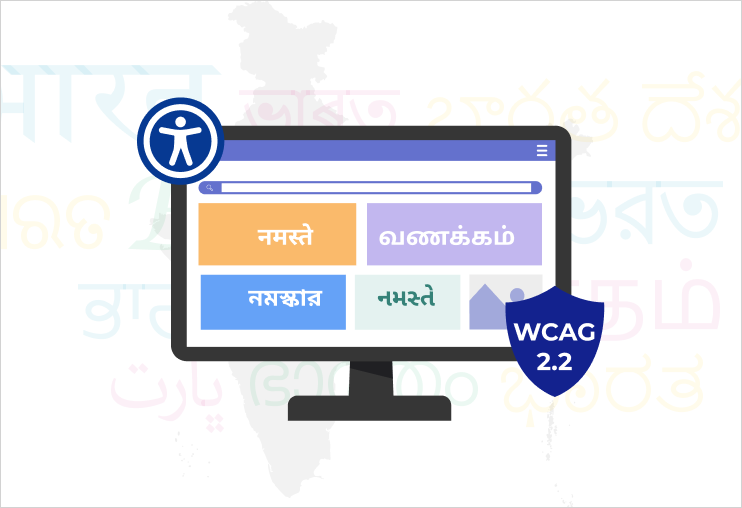
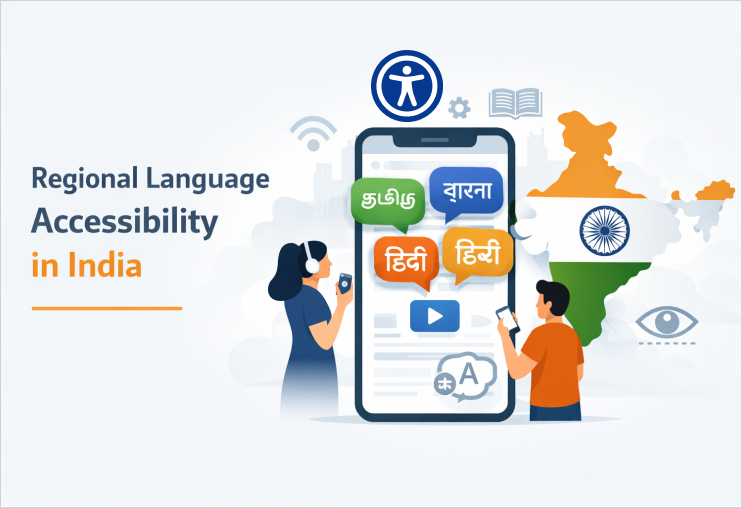
India’s digital ecosystem is not monolingual. From Hindi and Marathi to Tamil, Bengali, Kannada, Indian users interact with websites, apps, government portals, and ecommerce platforms in multiple scripts and languages every day. Yet accessibility implementation often assumes English-first design.
With the release of Web Content Accessibility Guidelines 2.2, organizations are expected to go beyond basic translation and rethink how accessibility works across Indic scripts, regional interfaces, and multilingual user journeys.
This article examines the effective implementation of WCAG 2.2 in Indian-language digital environments, without creating fragmented or inconsistent experiences.
Top reasons why WCAG 2.2 implementation looks different in India!
WCAG 2.2 builds upon WCAG 2.1, adding new success criteria that improve usability for people with cognitive disabilities, low vision, and mobility impairments. However, implementation in Indian contexts introduces unique complexities:
- Multiple scripts (Devanagari, Tamil, Telugu, Bengali, etc.).
- Variable text length after translation.
- Mixed-language interfaces (English + regional language) and multilingual accessibility.
- Limited accessibility testing in regional assistive technologies.
- Rendering issues on low-cost devices.
Accessibility is not only about compliance – it’s about linguistic inclusivity.
Key WCAG 2.2 areas that need special attention in Indian languages
- Focus appearance (2.4.11) in complex scripts
- a. Ensure the focus outline does not cut through glyphs.
- b. Maintain sufficient contrast between focus indicators and background.
- c. Test focus stages in high-contrast mode.
- Accessible authentication (3.3.7)
- a. Avoid OTP instructions only in English.
- b. Provide simple, plain-language instructions in the selected regional language.
- c. Use clear error messaging in native scripts.
- d. Avoid complex CAPTCHA dependent on Latin character recognition.
- Consistent help (3.2.6)
- a. The main interface is translated into Hindi or Marathi.
- b. Help documentation remains in English only.
- Dragging movements (2.5.7)
- a. Offer tap-based alternatives.
- b. Provide clear instructions in the chosen language.
- c. Avoid gesture-only controls.
Indic scripts often have conjunct characters and diacritical marks. When implementing visible focus indicators:
Some Devanagari characters extend above and below the standard baselines. Poorly designed focus styles can obscure readability.
WCAG 2.2 emphasizes cognitive accessibility in authentication.
In multilingual Indian websites:
If help is available in one language, it must be equally available in others.
Common issue in Indian portals:
This creates unequal access and may violate WCAG consistency principles.
Mobile-first Indian users often access content via low-end smartphones. Drag-based interactions in regional language accessibility apps must:
This is especially critical for regional ecommerce and EdTech platforms.
Technical implementation considerations
- Proper language markup
- Screen reader compatibility in the Indian context
- a. Pronunciation accuracy
- b. Character segmentation
- c. Form field reading order
- d. Error message clarity in local scripts
- Font and rendering accessibility
- a. Unicode-compliant fonts
- b. Proper line height for diacritics
- c. Avoidance of text-as-image in regional banners
- d. Adequate character spacing
Use correct lang attributes:
</> HTML
<html lang=”hi”>
<p lang=”hindi”> यह एक डमी टेक्स्ट है </p>
This ensures screen readers pronounce text correctly. Without proper markup, assistive technologies may mispronounce Indian language content.
Screen readers such as NVDA, JAWS, and TalkBack support several Indic languages, but quality varies.
Testing must include:
Do not assume English testing covers multilingual experiences.
Indian scripts require:
WCAG 2.2’s text spacing requirements (1.4.12) must work with Indic typography. Many websites fail when increased line spacing breaks the layout in Devanagari or Tamil.
Multilingual UX issues that lead to WCAG failures
- Language toggle is not keyboard accessible
- PDF downloads available only in English
- Mixed-language forms without clear labels
Screen reader not announcing language switch.
Translated alt text is missing or auto-generated poorly.
Accessibility requires parity across languages – not partial localization.
Cognitive accessibility in the Indian context
India has diverse literacy levels. WCAG 2.2’s cognitive-focused additions are particularly relevant.
To improve cognitive accessibility:
- Use simple regional vocabulary.
- Avoid bureaucratic or overly formal Hindi translations.
- Break long paragraphs into structured sections.
- Use consistent terminology across languages.
Machine translation without human review often creates confusing phrasing that increases cognitive load.
Testing strategy for Indian multilingual websites
A robust implementation plan should include:
- Language-specific accessibility audit
- Native speaker + accessibility tester collaboration
- Mobile testing on budget devices
- Cross-script UI stress testing
- a. Font size increases
- b. Text spacing changes
- c. Screen orientation shifts
Evaluate each language version independently.
Combine linguistic review with assistive technology testing.
Many Indian users rely on entry-level Android phones.
Check layout behavior when:
Legal and policy alignment in India
Although WCAG is a global standard developed by the World Wide Web Consortium, Indian digital accessibility efforts align with:
- Rights of Persons with Disabilities Act 2016
- Indian Government website guidelines referencing GIGW 3.0, and WCAG standards
- Public procurement accessibility requirements
For government and public-facing platforms, multilingual accessibility is not optional – it is a constitutional and legal obligation.
Strategic recommendations for organizations
- Build accessibility into localization workflows
- Create multilingual design systems
- a. Typography rules per script
- b. Focus indicator styles
- c. Error message templates
- d. ARIA labels in multiple languages
- Avoid English-first development
- Train content teams
- a. Alt text writing in regional languages.
- b. Plain language principles
- c. Structured headings
Accessibility checks must be part of translation QA.
Define:
Design flexible layouts that accommodate text expansion (some Indian languages expand 20-30% compared to English).
Accessibility is not only a developer’s task. Content writers/editors must understand:
Also read: Video Digital Accessibility Compliance for Government
The future of WCAG 2.2 in India
As India advances toward deeper digital inclusion, accessibility must evolve beyond checkbox compliance. Implementing WCAG 2.2 in Indian languages requires:
- Linguistic sensitivity
- Technical precision
- Cultural understanding
- Inclusive design mindset
Multilingual accessibility is not a translation exercise – it is a systemic commitment to equal digital participation.
Organizations that invest early will not only meet compliance standards but also unlock broader user engagement across India’s diverse digital audience.
As you work toward improving Indian language and multilingual website compliant with WCAG 2.2, the right tools can accelerate progress and ensure long-term accessibility. An accessibility widget – All in One Accessibility® offers an efficient way to enhance usability across diverse Indian scripts and languages – whether content is in Hindi, Tamil, Bengali, Marathi, Telugu, or any other. It supports over 190 languages. With features like adjustable text spacing, improved contrast, talk & type, voice navigation, keyboard-friendly navigation, screen reader compatibility, and language-agnostic accessibility enhancements, it reduces barriers for users of all linguistic backgrounds. Elevate your commitment to inclusivity and WCAG 2.2 compliance by kick-starting accessibility journey with All in One Accessibility®. Reach out hello@skynetindia.info for more information.